For Minecraft: Java Edition · Free to plan alone
Plan your world before you build it.
MC Planner opens your Java world in 3D with your own textures. Draw paths, areas and buildings on the real terrain, count every block, and plan it live with your friends.
MC Planner runs in a desktop browser. It needs your Java Edition game files.
Works with
- Java Edition 26.2
- Worlds from 1.18 to 1.21
- Modded worlds and dimensions
- Resource packs and mod textures
- Bedrock: not supported
Reads your world, never changes it
Your save stays exactly as it is. Plans are stored on their own.
Your textures stay yours
Read from your own game file, on your computer. Never uploaded.
Free to plan alone, forever
Every planning feature, no account, no ads. Only sharing is paid.
How it works
Three steps. Your world in 3D.
No install, no mods, no server. Your browser does the work, and it remembers your game file for next time.
- 1
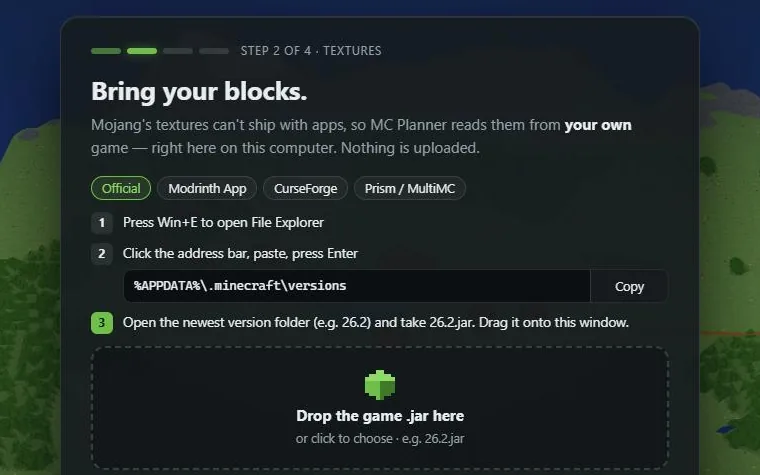
Drop your game file
MC Planner reads block textures from your own Java Edition game file. Nothing from Mojang is bundled.
- 2
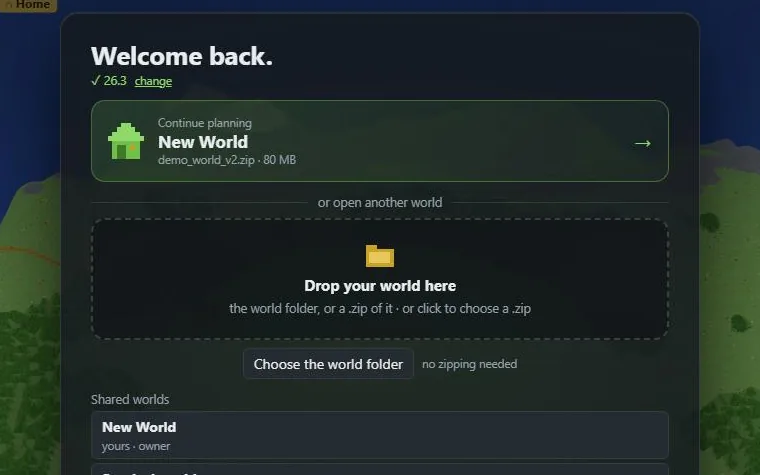
Drop your world
The world folder from your saves, or a .zip of it. Modded worlds work too. It opens in seconds.
- 3
Plan it, alone or together
Draw on the terrain, count the blocks, and send an invite link. Friends join free.
Features
Everything you need to plan the big one.
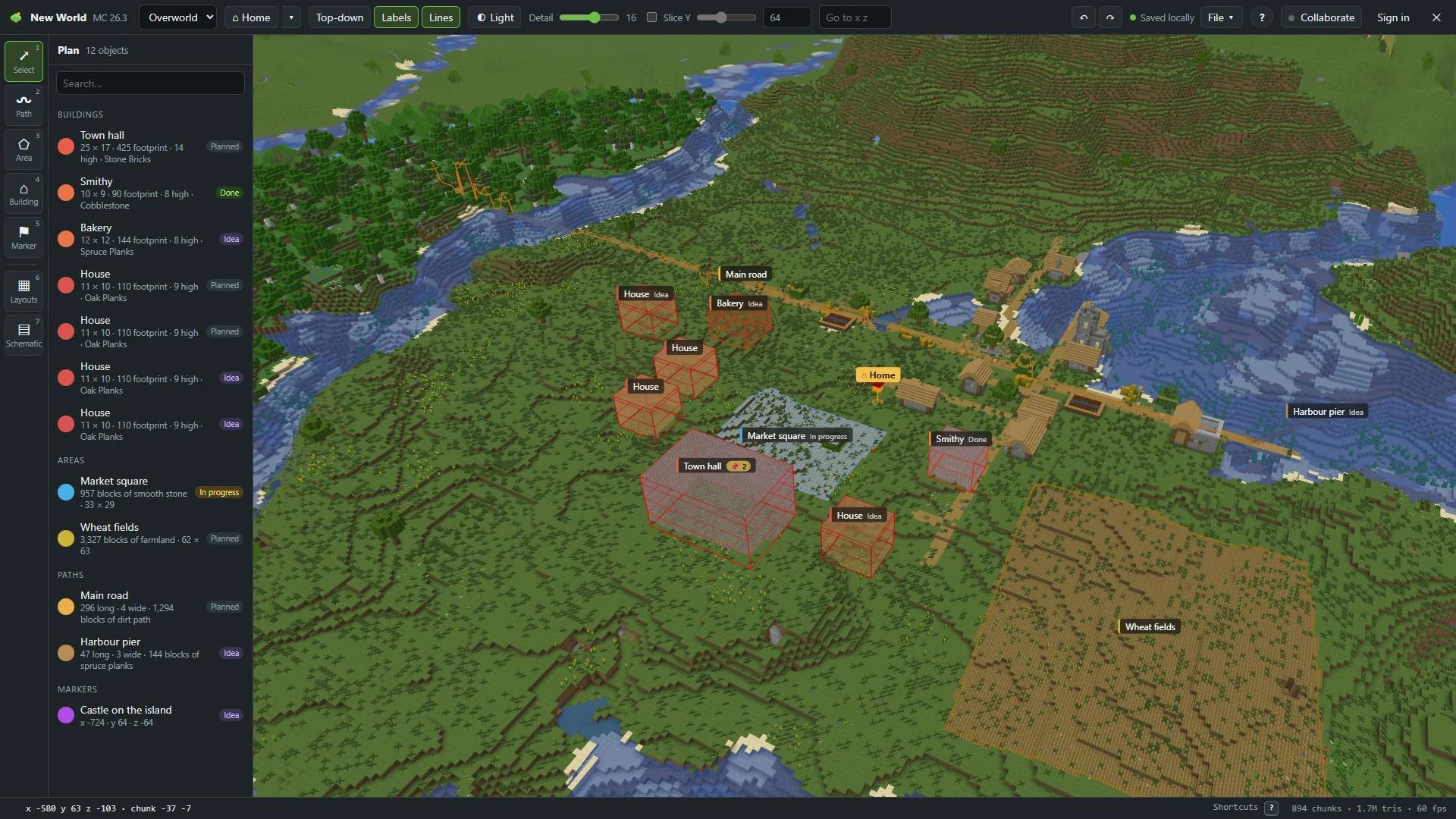
Every screen on this page is MC Planner itself, on a world we made, with the game's own textures.
Paths, areas & buildings
Know every block before you mine one.
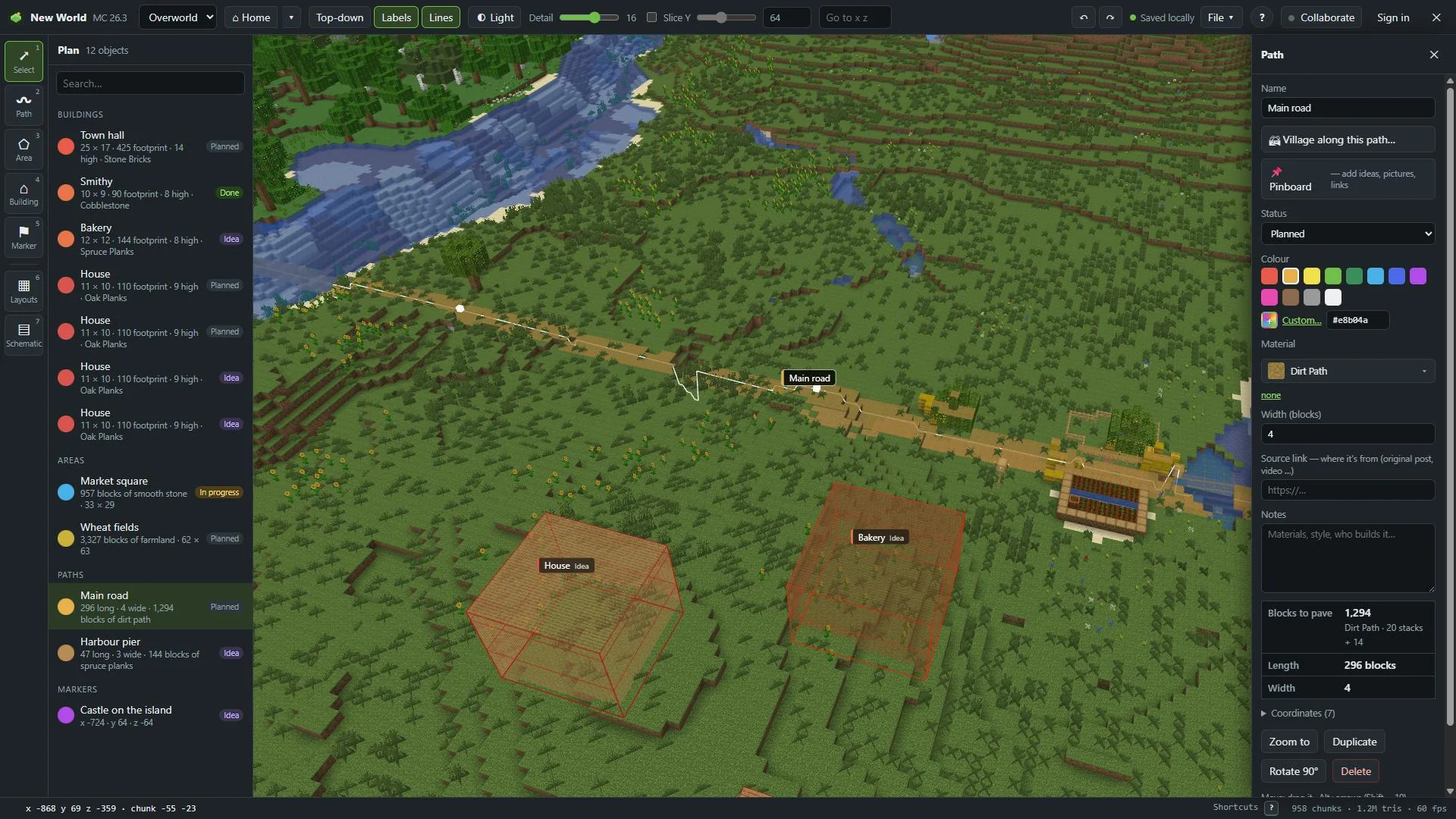
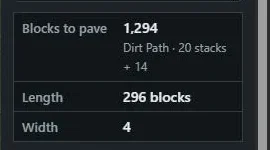
Draw on the real terrain and pick the block it's made of. You see it in that texture, and the inspector counts every block, with stacks.
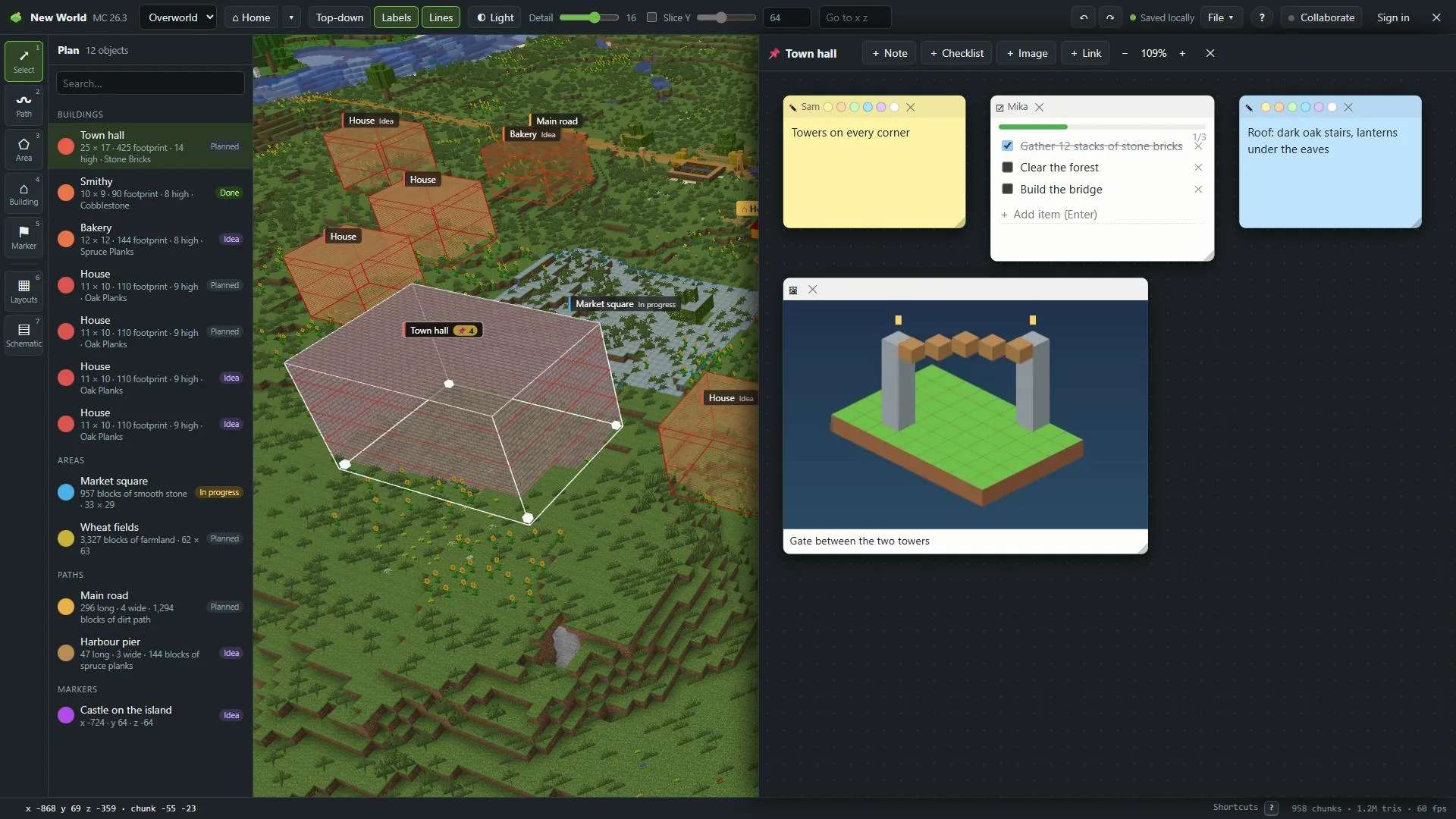
Pinboard
Pin the idea to the place.
Notes, checklists, pictures and links, right on the building they belong to. No more screenshots lost in the group chat.
- A board on every path, area and building
- Everyone sees changes live
Schematics
Try the build in place. Get the shopping list.
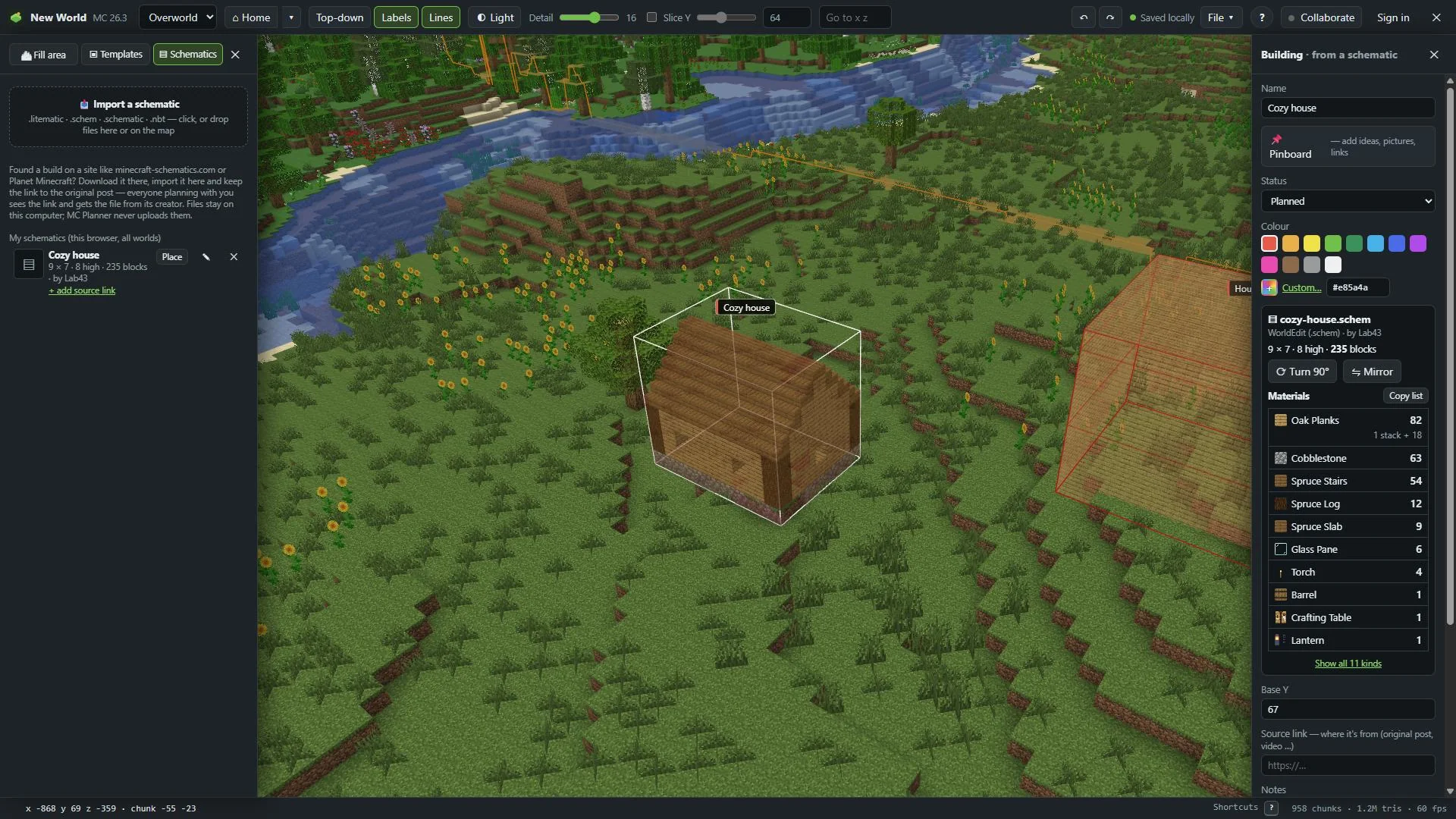
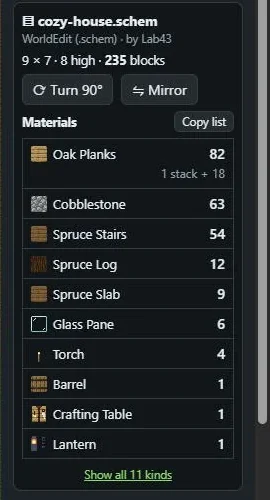
Import .litematic, .schem, .schematic or .nbt files and place them with real blocks. The inspector lists every material. Files stay in your browser and are never uploaded.
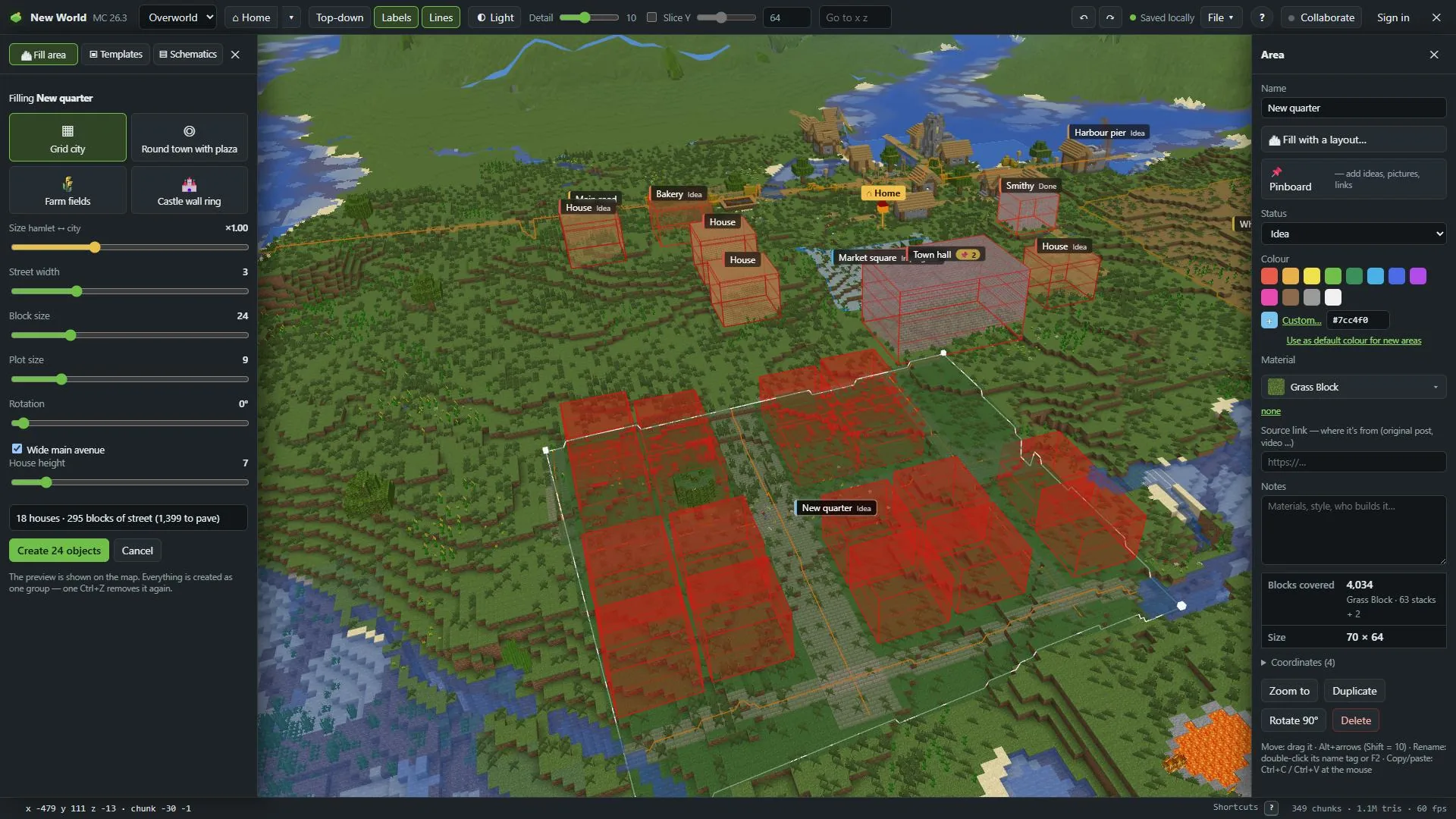
Layouts
Fill an area with a grid city, a round town, fields or walls. Or grow a village along a path.
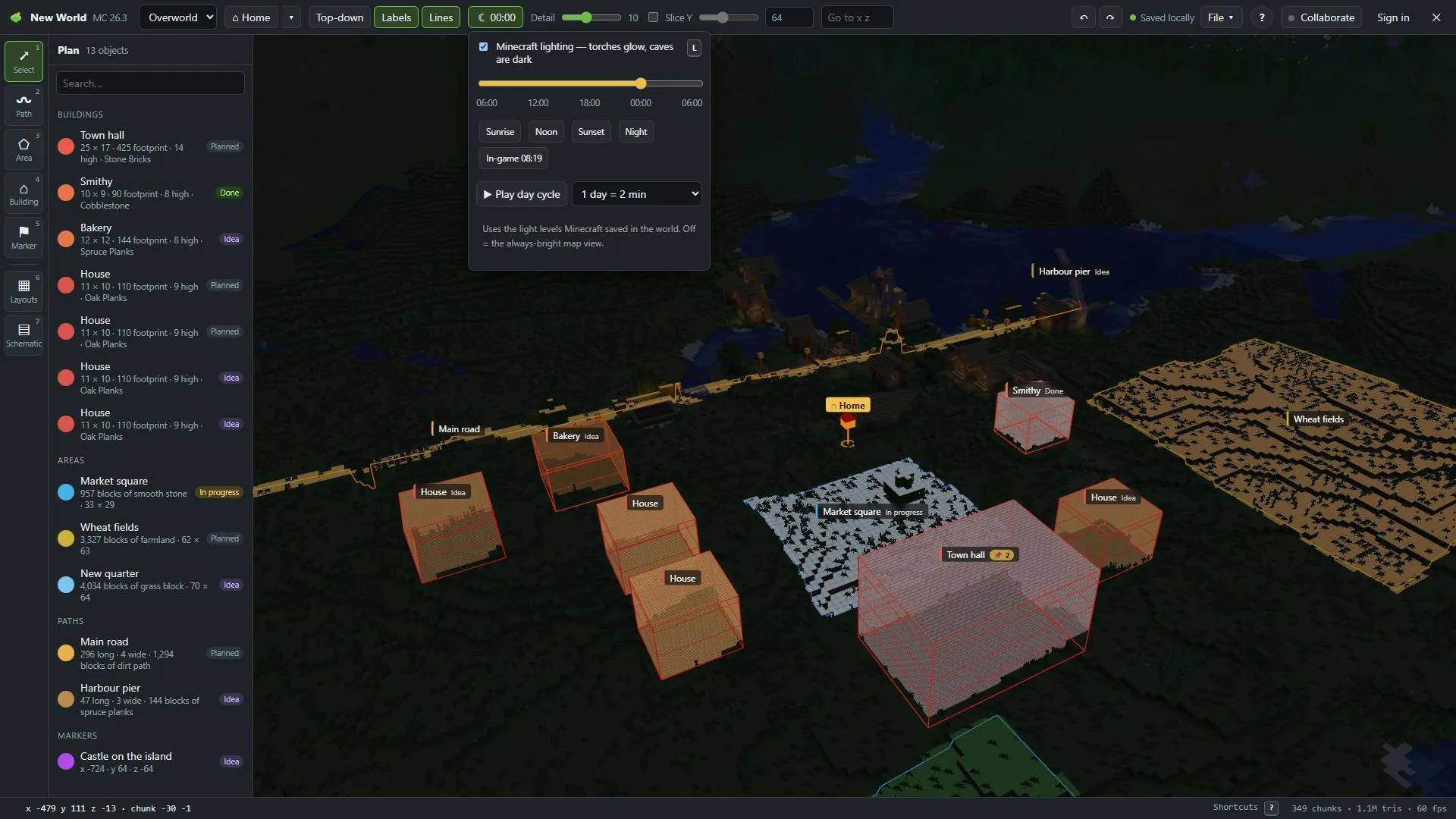
Day & night
See your plan at any time of day, with light levels. Find the spots that stay dark at night.
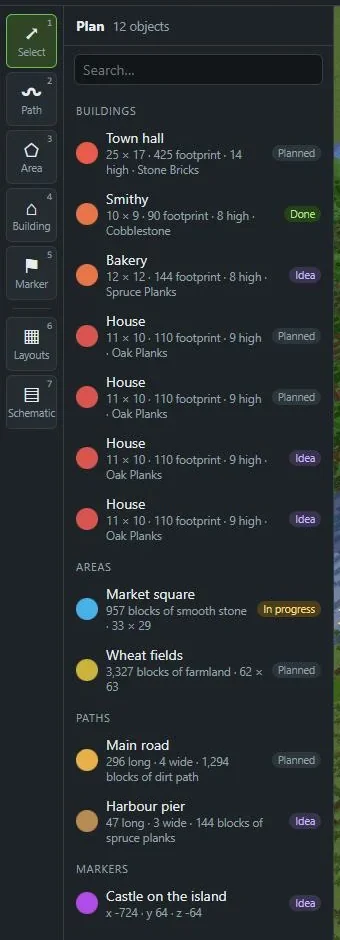
One list, every status
Idea, planned, in progress, done. See what's left at a glance, with sizes and materials.
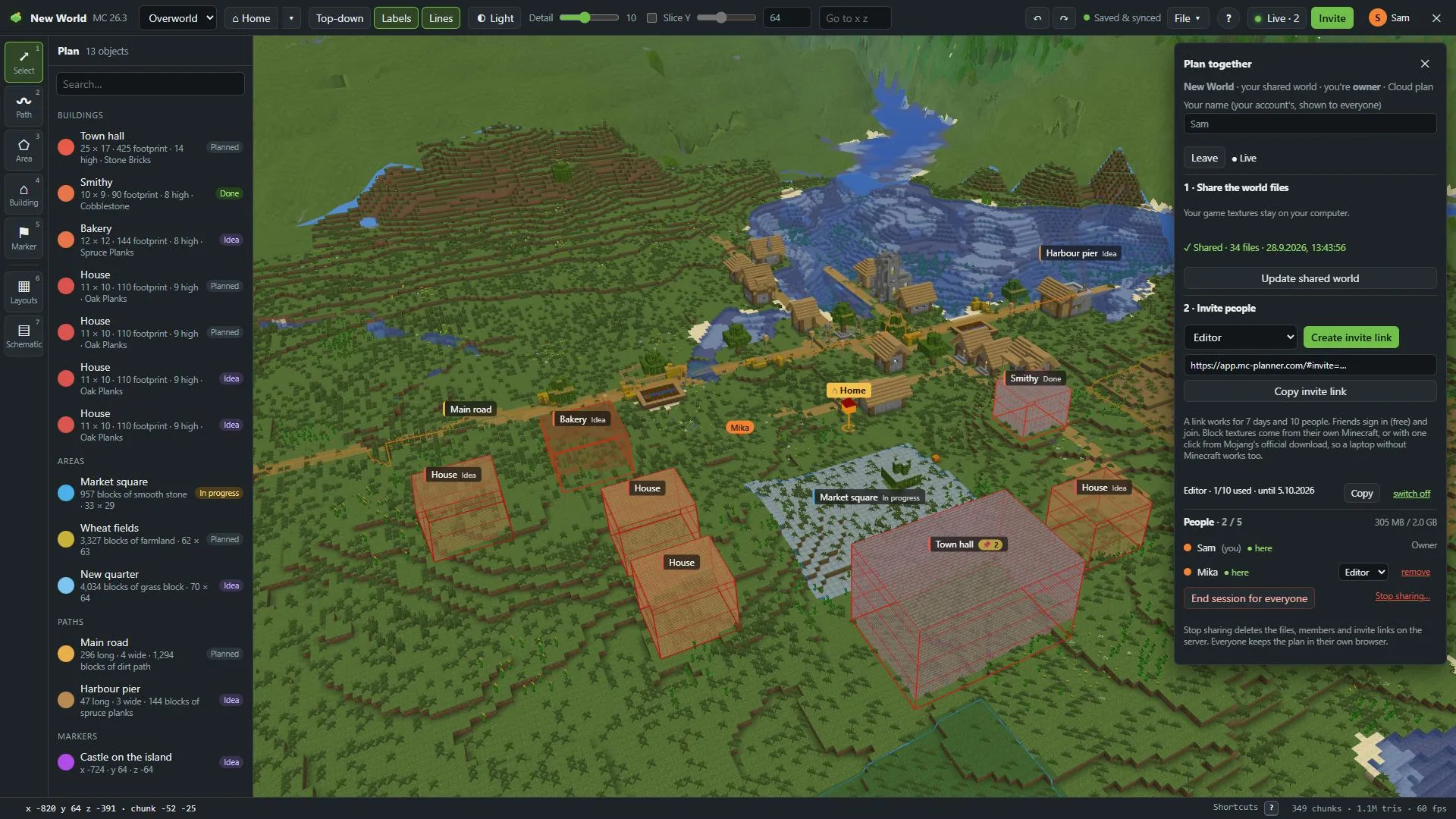
Plan together
One map. The whole crew. Live.
Share one invite link. Friends open your world in their browser and plan with you, with cursors and name tags. They see it with their own textures, or in map colors.
- One invite link, valid for 7 days
- Editors and viewers, you choose
- Friends join free, with a free account
In the game
See the plan where you build it.
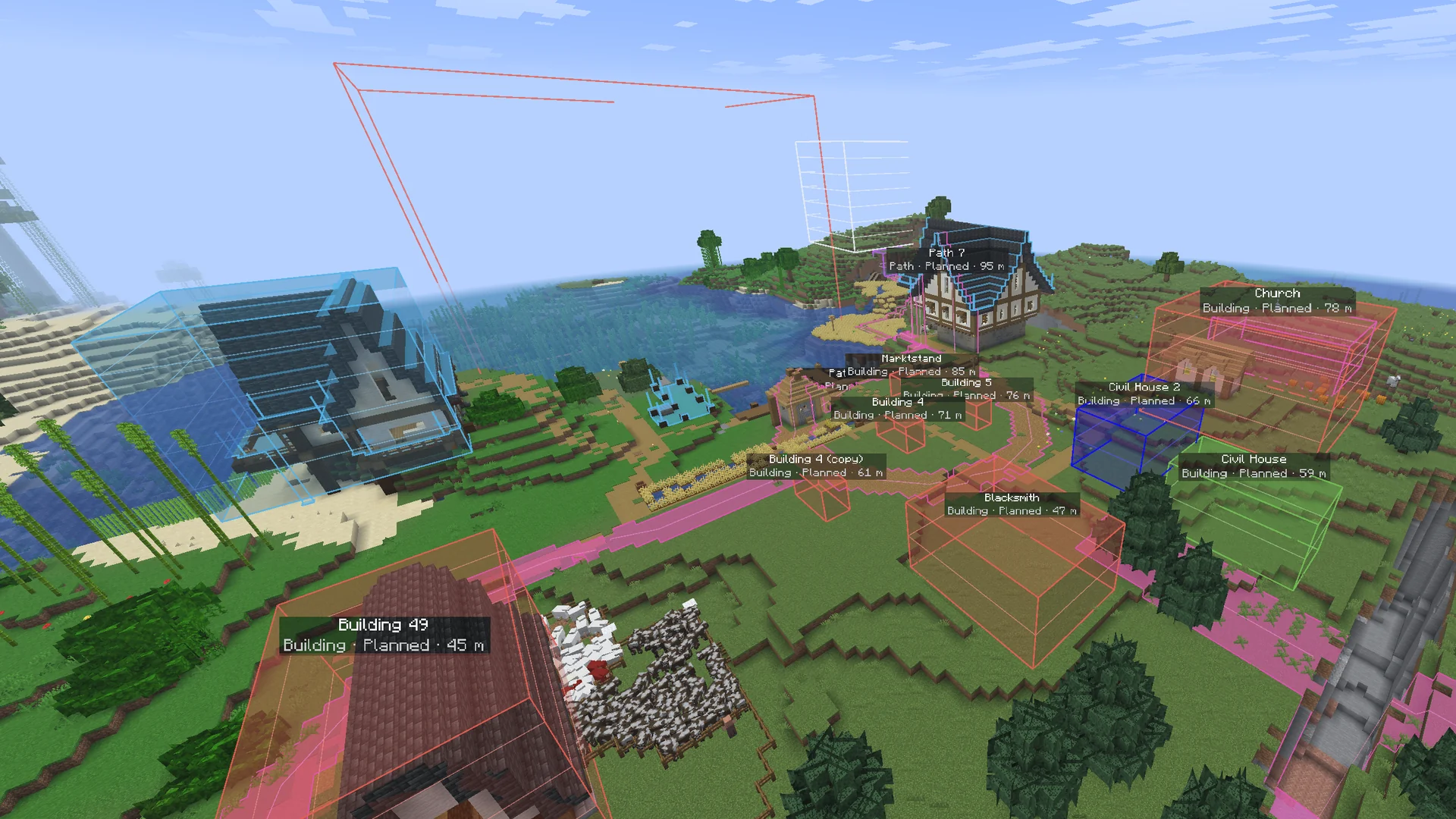
The MC Planner mod for Minecraft: Java Edition draws your shared world's plan right in the game, over the real terrain.
- Paths, areas and buildings in their blocks, schematics as ghost blocks
- Navigate to the next job and tick it off. Friends see it in the app at once
- Works on any server, with Sodium and Iris shaders
Paths, Areas, Buildings, Schematics, Pinboards, Layouts, Day & night
Your world, your files
MC Planner plans. Your save stays yours.
- MC Planner only reads your world. It never changes your save.
- No account to plan alone. Plans save in your browser, and File → Save keeps .mcplan files with versions.
- Schematic files you import stay in your browser and are never uploaded.
- Planning alone is free, forever. No ads.
What goes online, and when
- Planning alone
- Everything stays in your browser. No account, no upload.
- Sharing a world
- The world files and a color map go to our server, so friends can open it with a link.
- Your game's textures
- Never uploaded. Each person reads their own game file.
Pricing
Free to plan alone. Pay only to plan together.
Free
Plan alone
€0forever
- Every planning feature
- No account
- Join friends' shared worlds
- 7 days free
Cloud
Plan with friends
€4.99/ month
- 3 shared worlds at a time
- 5 people per world
- 2 GB cloud storage
- The Minecraft mod (Fabric)
- Friends join free
Lifetime
Pay once
€199.99once
- Everything in Cloud
- Host on your own PC (coming soon)
- No subscription
Bigger group? Team hosts 10 worlds with up to 50 people each. Compare all plans
Friends join free · Cancel any time · 14-day refund on your first payment · Prices include VAT
Desktop app
For Windows, macOS and Linux.
The same planner in its own window. It finds your worlds and game files by itself, and opens worlds straight from your saves folder.
Version 0.1.1
Support MC Planner
Made by two people who play too.
Buy us a coffee on Ko-fi
Planning alone stays free, with no ads. If MC Planner saved your build, a tip on Ko-fi helps us keep making it.
Lab43
lab43.dev
Two developers with one shared survival world. The name comes from the 43rd floor of the high-rise where we first met. We built MC Planner to plan our own town together.
Also from Lab43: GameSweep (opens in a new tab)
FAQ
Questions, answered plainly.
Is MC Planner free?
Planning alone is free, with every feature and no account. Planning together needs a plan for the host: Cloud, Team or Lifetime. Friends join free.
Which Minecraft versions does it support?
Minecraft: Java Edition. It's built for 26.2 and also reads worlds from 1.18 to 1.21, including modded worlds and modded dimensions. Bedrock Edition isn't supported.
Is the mod free?
The download is free, but it only works with an active MC Planner plan: Cloud, Team or Lifetime, or the 7-day trial. If a friend invites you to their shared world, their plan covers you. Plan files (.mcplan) need your own plan.
Which versions does the mod run on?
Minecraft: Java Edition 26.2, with Fabric Loader and Fabric API. Older versions are coming. There's no version for Forge, NeoForge or Bedrock.
Do I need Minecraft installed?
Yes. MC Planner reads block textures and models from your own Java Edition game file. Nothing from Mojang is bundled with MC Planner.
Will it change my world?
No. MC Planner only reads your world. Your plans are stored separately.
Does it work on my phone?
MC Planner needs a desktop or laptop browser. It uses 3D graphics, keyboard shortcuts and your game files.
Is my world uploaded?
Only if you share it. On your own, everything stays in your browser. When you share, the world files and a colour map are uploaded to our server so friends can open it with a link. Your game's textures are never uploaded.
What do my friends need?
The invite link, a free account and a desktop browser. They see your world with their own textures, or in map colours, and plan with you live.
Can I use schematics?
Yes: .litematic, .schem, .schematic and .nbt. Imported files stay in your browser and are never uploaded. Friends see a box with the link to the original until they import the same file.
Is there a desktop app?
Yes, for Windows, macOS and Linux, on the download page. It finds your worlds and game files by itself, opens worlds straight from your saves folder and keeps itself up to date.
Is MC Planner made by Mojang or Microsoft?
No. MC Planner is an independent tool by Lab43. Not an official Minecraft product. Not approved by or associated with Mojang or Microsoft.
Plan your next town
Open your world, draw the first path, and send the link to your friends.